
Can You See Your Outlets Right Now? | Frontelio by Missan
0:46 · Captions on. Loads from YouTube only when you press play.
Teams in 3 countries · Serving clients across the Middle East, Europe, the US and Asia since 2004
Frontelio · Frontline Control OS · Built by Missan
Was the shop opened on time? Was the fridge checked? Did anyone report the broken machine, or just send a voice note? Frontelio gives every frontline role its own app, and gives managers and owners one live view of every shift, checklist and issue, with proof and a clear owner.
In 46 seconds
Which outlets are ready, what is open, what is late and what is done, live.
0:46 · Captions on. Loads from YouTube only when you press play.
What Frontelio does
A manager plans the shifts, and each person sees their rota on their phone.
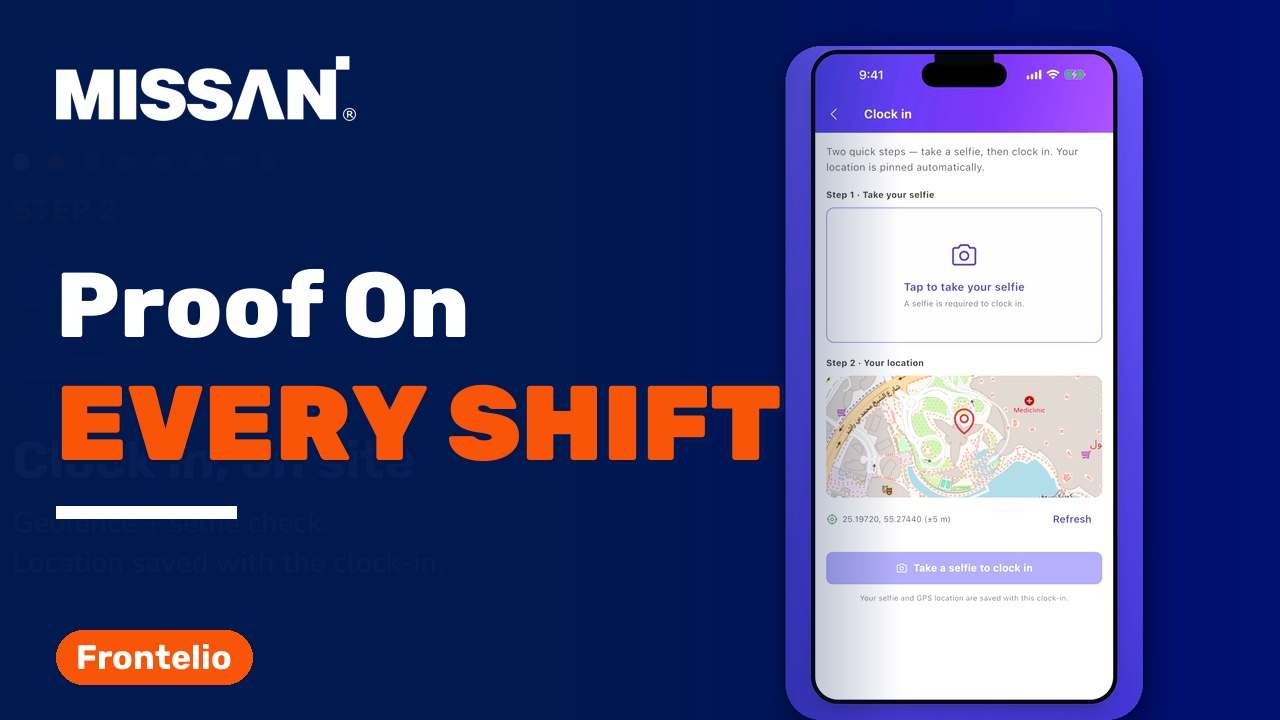
Staff clock in at the outlet, and Frontelio checks they are really there with geofencing and a selfie check.
Opening and closing checklists where every task is ticked off with evidence: a photo, a reading or a note.
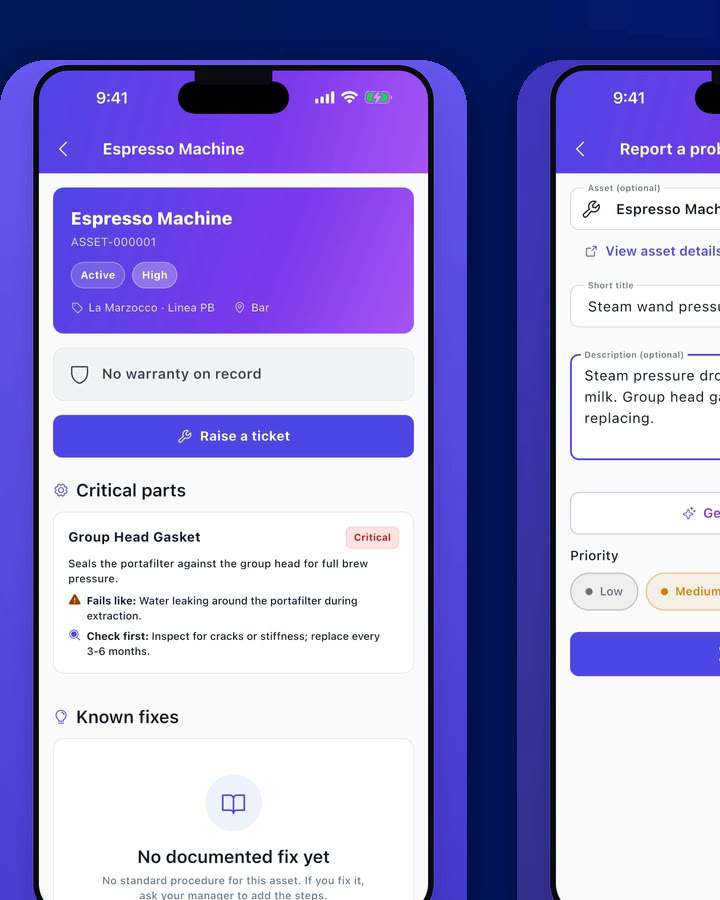
Staff scan an asset's QR code and raise an issue in seconds, with the troubleshooting steps right there.
Issues become work orders that are escalated, assigned to a technician, tracked, resolved and verified.
Drivers on the move share their location, so dispatch knows where everyone is.
Managers and owners see which outlets are ready, what is open, what is late and what is done.
Leave and payroll with UAE WPS export, run behind the scenes.
Training courses with certificates, a knowledge base, and announcements to the whole team.
Who uses it
Frontelio is built for everyone on a frontline team.
How it works
A manager plans the shifts, and each person sees their rota on their phone.
Geofencing and a selfie check confirm staff are really there.
Every task is ticked off with evidence: a photo, a reading, a note.
Staff scan the asset's QR code and raise an issue in seconds, with troubleshooting steps on screen.
Escalated, assigned to a technician, tracked, resolved and verified.
Dispatch knows where everyone on the road is.
Closing checklist, clock out, and the shift is handed over.
Managers and the owner see which outlets are ready, what is open, what is late and what is done.
Before and after
Before
After
Built and supported by Missan · 5,000+ clients served since 2004
Frontelio: questions
Frontelio (Frontline Control OS) is the app Missan built for frontline teams. It runs shifts, clock-in, opening and closing checklists, issue reporting, work orders and driver location, and gives managers and owners a live view of every outlet.
Staff clock in at the outlet with geofencing and a selfie check, so the clock-in shows they are really there.
Staff scan the asset's QR code and raise an issue in seconds, with the troubleshooting steps right there. The issue becomes a work order that is escalated, assigned to a technician, tracked, resolved and verified.
Yes. Behind the scenes, Frontelio runs leave, payroll with UAE WPS export, training courses with certificates, a knowledge base and announcements to the whole team.
Teams that run on WhatsApp groups, phone calls and paper today: cafés, restaurants, shops and field teams. Each role, from staff on the floor to the owner, gets its own app with only what that role needs.
Talk to Missan. We will walk you through Frontelio, discuss how your team runs today, and build and support the setup for you.
Cafés, restaurants, shops and field teams: tell us how your team runs today. Missan can build this for you and support it every day.
Send us the brief, the deadline and what you have today. An engineer reviews it and we reply within one business day with next steps.